Wi-Fi is convenient, and for many homes it handles IPTV perfectly well. But when streams buffer at busy times, drop quality in the evening or freeze during a big game, a wired Ethernet connection is often the single most effective fix. This guide explains when a cable makes a real difference, when Wi-Fi is fine and how to connect devices that have no Ethernet port.
- Ethernet gives a consistent connection that is not affected by walls or neighbors’ networks.
- Wi-Fi works well when the device is close to a modern router with little interference.
- Most streaming sticks can use Ethernet through a USB adapter.
- Mesh, powerline and MoCA adapters are alternatives when a cable is impractical.
Why live streaming is sensitive to connection quality
Live TV gives your player little room to build up a buffer, because it needs to stay close to the live broadcast. On-demand video can download ahead and hide short drops; live channels cannot hide them as easily. That makes live IPTV more sensitive to brief dips in the connection than many other kinds of streaming.
What matters is not only speed but consistency. A connection that occasionally drops for a second causes more visible problems than one that is slightly slower but steady.
How Wi-Fi can fall short
- Distance and walls weaken the signal, especially on the faster 5 GHz and 6 GHz bands.
- Interference from neighbors’ networks, microwaves and other devices causes drops.
- Shared airtime means every device on the network competes for the same radio space.
- Busy times, such as evenings, bring more interference and more household use at once.
None of these affect a cable in the same way.
When Ethernet makes the biggest difference
- The TV or streaming device is in a different room from the router.
- You live in an apartment building with many nearby networks.
- You watch 4K channels or live sports regularly.
- Several people in the home stream, game or video call at the same time.
- Problems happen mainly in the evening.
When Wi-Fi is usually fine
- The router is in the same room or next room.
- You use a modern router and a device that supports Wi-Fi 6 or newer.
- The device connects on 5 GHz or 6 GHz, not 2.4 GHz.
- Few other networks or devices compete for airtime.
If your Wi-Fi is not in this ideal position, our guide to router and Wi-Fi settings for IPTV covers placement, bands and channels.
How to connect a streaming stick with Ethernet
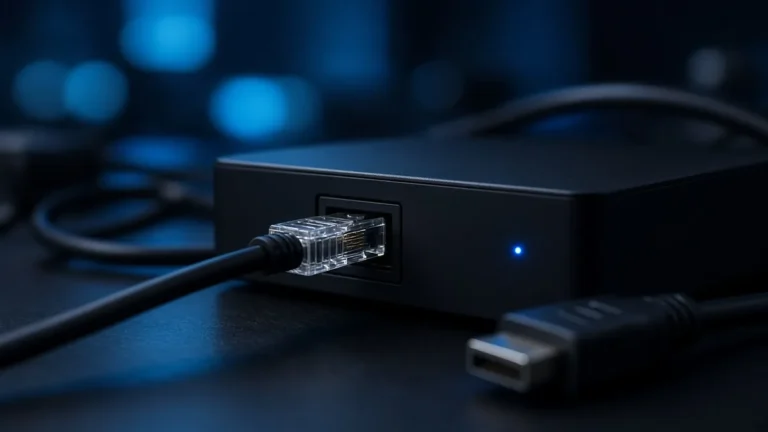
Most streaming sticks have no Ethernet port, but many accept an adapter:
- Fire TV sticks: Amazon and other makers sell Ethernet adapters that plug into the stick’s power port and pass power through.
- Google TV streamers: the latest model has a built-in port; older Chromecast with Google TV models work with a USB-C power and Ethernet adapter.
- Android TV boxes and many Apple TV 4K models include a port.
Check that the adapter is listed as compatible with your exact model. Once connected, most devices switch to the wired connection automatically. Our Fire TV guide and Android TV box guide include network tips.
Smart TVs and Ethernet
Most smart TVs have an Ethernet port. Some limit it to slower speeds, which is often still enough for streaming but can bottleneck very fast connections. If your TV’s built-in app streams better over Wi-Fi than its port, test both and use whichever is more stable.
If you cannot run a cable
Mesh Wi-Fi
A mesh system places a unit near the TV, shortening the wireless distance. The best results come when that unit links back to the router with a cable, but wireless backhaul still helps.
Powerline adapters
These send network data through your home’s electrical wiring. Plug one near the router and one near the TV. Performance depends on your wiring, so results vary from excellent to disappointing.
MoCA adapters
Many US homes have coaxial TV cable in the walls. MoCA adapters use it to carry a wired network connection, often with very stable results. Check that the coax runs between the router room and the TV room.
How to test the difference
- Watch the same live channel for an evening on Wi-Fi and note any buffering or quality drops.
- Connect with Ethernet or an alternative and watch the same channel at the same time the next evening.
- Compare how often problems occur, not just how fast a speed test looks.
For more steps, see our help page on fixing buffering and our guide to home bandwidth for several screens.
Cables and ports
Any Cat5e or newer cable is fine for streaming. Flat cables are easy to run under carpets and along baseboards. If the router lacks free ports, a small unmanaged network switch adds more. Keep runs neat and avoid sharp bends or pinching the cable under doors.
Frequently asked questions
Is Ethernet always better than Wi-Fi for IPTV?
It is more consistent, which matters for live TV. If your Wi-Fi is strong and stable, you may not notice a difference. If you see buffering at busy times, Ethernet is one of the most reliable fixes.
Can I use Ethernet with a Fire TV stick?
Yes, with a compatible Ethernet adapter that plugs into the stick’s power port. Check compatibility with your stick model before buying.
Are powerline adapters good for IPTV?
They can be, depending on your home’s wiring. Test them for a few evenings. If results are inconsistent, mesh Wi-Fi or MoCA may work better.
Not sure which connection to use?
Tell us your device and where your router is on WhatsApp. We will suggest the simplest way to make your streams more stable.